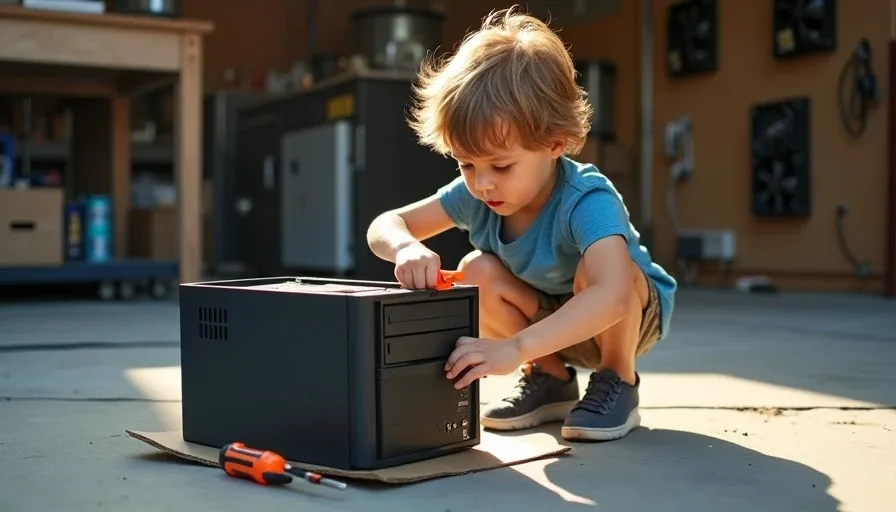
Cody found the screwdriver before he found the computer. That's how it started — a four-year-old rummaging through my bottom toolbox drawer while I was finishing a client's fan replacement, pulling out a Phillips #2 with the orange handle, holding it up like he'd discovered treasure. I looked at the dead Dell Optiplex 7010 I'd been meaning to strip for parts, then back at my son, and thought: there's a Saturday morning right there. Most people think PC building for kids means a parts list and a YouTube tutorial and a $600 budget. It doesn't. It means a dead machine and permission to destroy something.
What I Gave Him — And What I Didn't
The Optiplex was a Craigslist freebie from about eight months ago. Sandy Bridge i5, four gigs of DDR3, a power supply that smelled vaguely of burnt dust, no hard drive. It had been sitting on the floor behind my rolling workbench collecting cobwebs and dead crickets. I pulled it onto the bench, unplugged it days ago, and set it in front of Cody on the garage floor — on a piece of cardboard because Jen would kill me if he scratched the concrete.
I handed him the orange-handled screwdriver and said two things:
"Don't put anything in your mouth."
"If it's stuck, ask me."
That was it. No instruction manual, no "this is the CPU and this is the RAM," no lesson plan. Four-year-olds don't learn by being lectured. They learn by touching things and asking questions when something doesn't make sense.
Here's what I didn't give him: a working computer. No power cord. No expectation. No timeline. A dead computer is the entry point for PC building for kids because there's no pressure. You can't break what's already broken.
The Tools I Let Him Use
Tool | Why | Safety Note |
|---|---|---|
Phillips #2 screwdriver | Fits most case and drive screws | Rounded tip, hard to stab with |
Flathead screwdriver (small) | Prying clips, popping the faceplate | Supervised use only |
Needle-nose pliers | Pulling stuck connectors | Took them away after 10 minutes — too pinchy |
His hands | Cables, plastic shrouds, anything snap-fit | The tool he used most |
I kept the wire cutters and the utility knife on the top shelf. He didn't notice. He was too busy trying to figure out why the side panel had two thumbscrews instead of regular ones.
What He Actually Did — And What He Asked
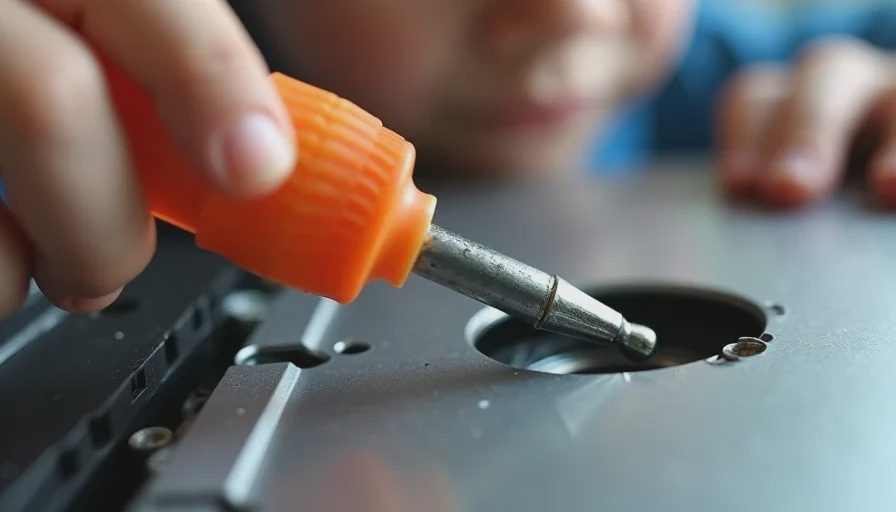
The side panel took him about six minutes. Two of those were spent trying to turn the thumbscrew the wrong way, one was spent looking at me for help (I just raised my eyebrows), and the last three were spent figuring out that once the screws were out, the panel slid back before it lifted off. He figured that part out himself. The sound he made when it came free — this little "oh!" like he'd solved a puzzle — is the reason I'm writing this.
Once the panel was off, he went straight for the cables. Not the motherboard, not the CPU cooler, not the RAM sticks. The cables. Specifically, the rainbow-colored front panel wires and the SATA cables that were still plugged in but connected to nothing. He traced them with his finger from one end to the other, and when he got to the loose end of a SATA cable, he looked at me and asked:
"Where does this one go?"
That was his first real question. Not "what is this" but "where does it go." A connection question. He already understood there was a path, and he wanted to know the destination.
Over the next 45 minutes, here's what he did:
Removed every cable he could reach — front panel, USB headers, the 24-pin that was clipped in too tight (asked for help on that one), the fan header for the rear exhaust fan
Found the hard drive cage and asked what lived there — I told him "a hard drive," he asked "like a big memory card?" Close enough for a four-year-old
Tried to pull the CPU cooler off without unclipping it — this was his first "it's stuck" moment, and the only time I stepped in physically to show him the spring clips
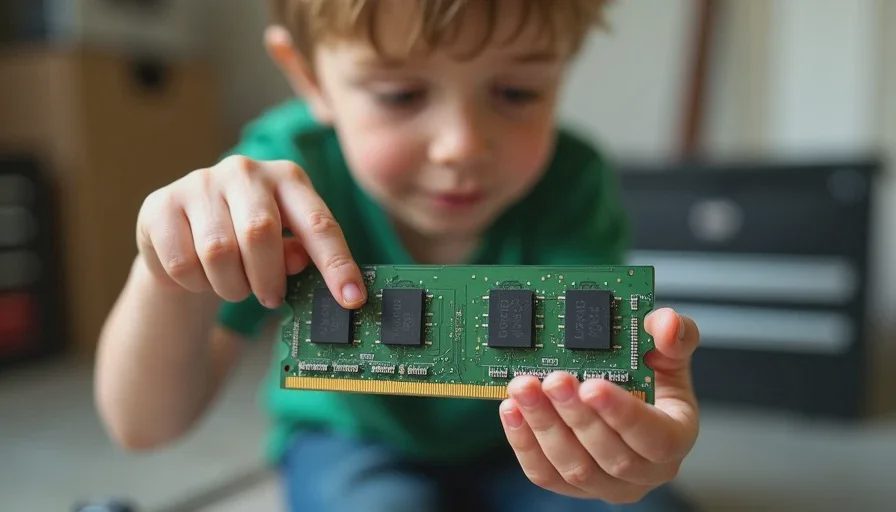
Discovered the RAM sticks and pulled four tabs before one came loose — he held the stick up and said "it looks like a tiny game cartridge"
Asked what the battery was for — the CMOS battery on the board. I told him it helps the computer remember what time it is. He said "oh" and moved on
What He Didn't Care About
The CPU model
How many cores it had
Clock speeds or cache sizes
Whether the motherboard was ATX or mATX
None of that matters to a four-year-old. What matters is that things come apart. That screws turn. That cables have paths. That some things are held in by clips and some by friction. These are the foundations of understanding how a computer is built — not the specs, not the benchmarks, but the physical reality of the machine.
What I Learned Watching Him
I've been building PCs since I was 19 and a Pentium II cost me six months of pizza delivery tips. I don't remember what it felt like to not know what a motherboard is. Watching Cody approach a machine with zero context reminded me of something I'd forgotten: the inside of a computer is weird.
It's weird that a metal box has a flat green board with tiny silver squares soldered to it. It's weird that a fan sits on top of a metal block that sits on top of a chip. It's weird that there are slots and sockets and headers and jumpers and none of them are labeled in a way that makes sense to someone who can't read yet. Cody kept pointing at things and saying "what's this brown thing" or "why is this circle sticking up" and I had to translate 25 years of knowledge into sentences a four-year-old could process.
Here's the thing about introducing PC building for kids: you don't need a curriculum. You need a dead machine, a screwdriver, and patience for questions that don't have easy answers. The educational value isn't in them remembering what a DIMM slot is. It's in the problem-solving. In learning that stuck things sometimes need tools. In discovering that big metal boxes come apart with just two screws. In understanding that complicated things are just smaller simple things stacked together.
The Mess Factor
I should mention: this was messy. The front bezel clips snapped on one side. A SATA cable connector separated from its wires when he pulled too hard. The CMOS battery went missing for 20 minutes and was found under the shop stereo. There's a reason I used a dead machine and not my personal rig.
But the mess is part of it. Breaking something that's already bound for the recycler teaches you that taking things apart has consequences, but those consequences don't have to be expensive or scary. He learned that some things break when you pull too hard, and that's okay — we talked about it, we looked at the broken clip, and then he moved on to the next thing.
What We're Doing Next
The Optiplex is still out there. I mounted the side panel back on after he lost interest (about an hour in, which is an eternity for a four-year-old's attention span), but I left the screws out. Next time he wants to open it, he will.
I'm not building a parts list for him. I'm not planning his first real build. He's four. But I am keeping my eyes open for another dead machine on Craigslist, because there's a second thing he hasn't discovered yet: the power supply has its own screws, its own cables, its own metal box inside the metal box. He hasn't asked about that one yet, but he will.
If you've got a kid who's curious about computers, don't buy them a kit. Don't watch a tutorial together. Don't make it a lesson. Find something dead, hand them a screwdriver, and let them figure out where the screws go. I turn it on so you don't have to — but sometimes turning it on isn't the point.