I started looking for the best airflow matx case for quiet build work after a compact gaming PC came back to my garage sounding like a box fan. The owner had installed a powerful graphics card, a hot Ryzen processor, and one tiny exhaust fan in a closed-front chassis. The machine ran, technically. It also ramped its fans every time a game loaded. That is not a quiet build. It is a heat problem wearing headphones.
For most people, my first choice is the Fractal Design Pop Mini Air. It has a ventilated front, sensible component clearance, room for useful fans, and fewer layout compromises than many small cases. The ASUS Prime AP201 is another excellent option when you want a smaller footprint, but its compact interior requires more attention to the power supply, radiator, and graphics card combination.
What makes a quiet airflow case work
Quiet cooling starts with moving enough air at a low fan speed. That sounds obvious, but builders routinely focus on the number of fan mounts instead of the size and location of those mounts. A front mesh panel with two 140 mm intake fans can move air more quietly than three cheap 120 mm fans screaming through a restrictive panel.
The best airflow matx case for quiet build use should have a genuinely open intake, not decorative slots hidden behind a solid plastic face. It should also leave a clear path from the front intake to the CPU cooler and graphics card. A dust filter is useful, but an overly dense filter adds resistance and forces higher fan speeds. Clean the filter every few months, especially if the PC sits on carpet.
Positive pressure helps too. I usually set two front fans as intake and one rear fan as exhaust. That creates slightly more incoming air than outgoing air, reducing the amount of dust pulled through unfiltered gaps. Set the case fans to a gradual motherboard curve instead of letting them jump from 30 percent to 100 percent at one temperature point. Sudden fan changes are more annoying than a steady low hum.
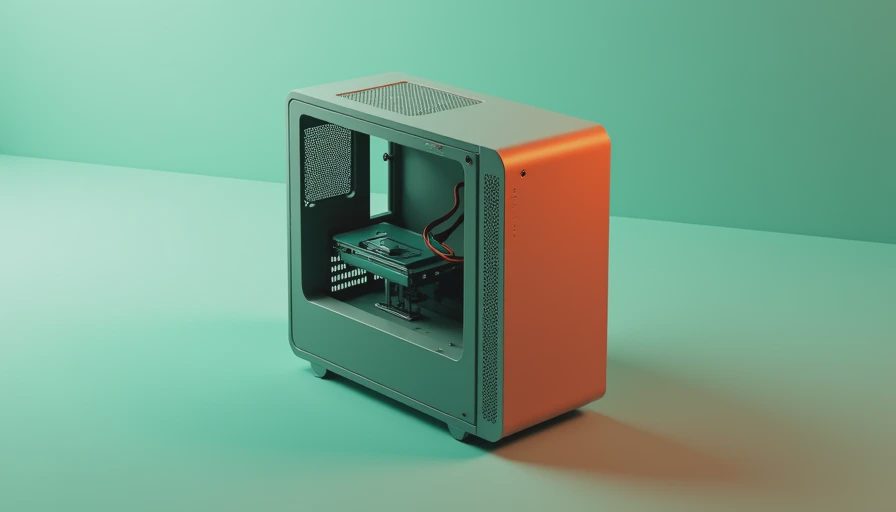
The cases I would put on the workbench
The Fractal Pop Mini Air is the easy recommendation. It supports standard micro ATX boards, has a mesh front, and gives most builders enough room for a tower air cooler and a full-size graphics card. The included fans are a useful starting point, though I would still check their bearing noise at low speed before deciding whether to keep them. A pair of quiet 140 mm front fans and one 120 mm rear exhaust fan is a strong setup for a normal gaming system.
The ASUS Prime AP201 is smaller and looks clean without turning into a glass aquarium. Its mesh panels provide airflow from several directions, and the layout can handle surprisingly large components. The catch is that the power supply sits in a different position than it does in a conventional tower. Measure the power supply length, cable bend space, radiator thickness, and graphics card clearance together. A part can fit on paper and still make cable routing miserable.
The Cooler Master MasterBox NR400 remains a practical budget choice. It has a mesh front and straightforward internal layout, which is exactly what I want from an inexpensive case. It is not as polished as the Fractal, and included fans are not always the last word in acoustics, but the money saved can buy a better CPU cooler or two decent PWM fans. The Lian Li Lancool 205M Mesh is also worth considering when pricing is close. Its front intake is effective, although availability and included hardware can vary.
Best airflow mATX case for quiet build parts matching
Choosing the best airflow matx case for quiet build is less about the case name and more about the parts inside it. A 65-watt or 105-watt Ryzen chip with a good tower cooler is an easier quiet-build target than a power-hungry processor running unrestricted boost limits. The same applies to the graphics card. A large triple-fan model can be quiet at moderate loads, but only if the case gives it unrestricted intake air and enough space below or beside the fans.
Before ordering, measure four things. First, check CPU cooler height against the case limit. Second, check graphics card length and thickness with front fans installed. Third, confirm the power supply length, especially in compact layouts. Fourth, check whether your radiator plan blocks the best intake location. A 240 mm radiator mounted at the front can cool the processor well while feeding warmer air to the graphics card. For a gaming-first build, a large air cooler and open front intake often produces the quieter overall result.
Do not ignore the motherboard. Some boards place the main fan headers, USB connectors, or SATA ports near the case edges. In a cramped chassis, those locations can turn a clean build into a cable knot. Micro ATX gives you less expansion space than ATX, but it does not automatically mean less heat. A compact case still needs a deliberate airflow path.

Fan setup and noise control that actually helps
Start with low-cost changes before replacing every fan. Disable automatic motherboard fan profiles that respond aggressively to short temperature spikes. Give the CPU fan a few seconds of delay if the BIOS offers hysteresis or step-up time. Set a quiet idle speed, then let the fan rise gradually during sustained workloads. The goal is not silence under a heavy render. The goal is avoiding pointless speed changes during normal desktop use.
For a typical gaming mATX system, I would start with two 140 mm front intakes at roughly 500 to 700 RPM, one 120 mm rear exhaust near 600 RPM, and the CPU cooler on its own curve. Those are starting points, not magic numbers. Test with a game, a CPU workload, and ten minutes of idle time. Listen for motor ticking, rattling filters, and turbulence at the front panel. A fan that is technically quiet in a review can sound awful against a restrictive grille.
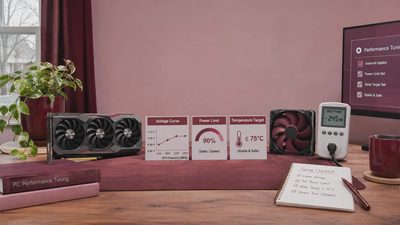
Undervolting can make a bigger difference than buying a premium case. A modest graphics card power limit or an efficient CPU curve often drops heat and fan speed with little performance loss. Use software such as AMD Adrenalin, Intel XTU where appropriate, or the graphics card manufacturer's control panel, then test stability. I do not trust a five-minute benchmark. Let the machine run a full game session or a longer stress test while watching temperatures.
My practical buying decision
If someone asks me for the best airflow matx case for quiet build and gives no other requirements, I point them toward the Fractal Pop Mini Air with two front intakes, one rear exhaust, and a quality tower cooler. It is forgiving, easy to assemble, and less likely to punish a first-time builder for choosing ordinary parts.
Choose the ASUS Prime AP201 when desk space matters more and you are willing to measure every component. Choose the NR400 when the budget is tight and the money is better spent on fans or a stronger cooler. Choose the Lancool 205M Mesh when its component support and current price line up with your parts list. None of these cases will rescue a blocked intake, a dusty filter, or an oversized hot-running component.
The best airflow matx case for quiet build is the one that lets your hardware breathe without making you install a dozen fans. Make the airflow path simple, tune the curves, and test the finished machine before calling it quiet. I turn it on so you don't have to. Right now, open your parts list, measure the GPU and power supply, and sketch two intake fans plus one exhaust fan. That five-minute check prevents most compact-case mistakes.