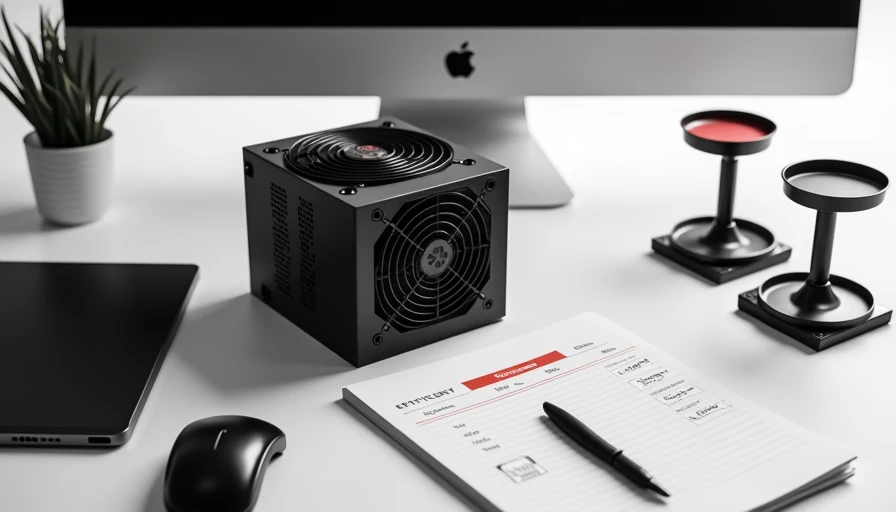
A power supply is where a lot of first-time PC builders try to save $30, then spend the next six months chasing random shutdowns. I have seen it happen on workbench builds, usually after a buyer chose by wattage and ignored the actual model. So, is Thermaltake a good PSU brand? The honest answer is yes, sometimes. Thermaltake makes some perfectly respectable power supplies, but the logo alone is not a quality guarantee. The exact series, platform, efficiency rating, protections, and price matter more than the name on the box.
I have built enough systems to distrust blanket recommendations. Thermaltake sells entry-level units, midrange gaming supplies, and higher-end models aimed at demanding graphics cards. Those products do not all belong in the same conversation. Treating every Thermaltake PSU as identical is like calling every Chevrolet the same because they share a badge.
The short answer: model matters more than the logo
If somebody asks me, “is Thermaltake a good PSU brand?” while holding a specific model, I want the model number before I answer. A Toughpower GF A3, Toughpower GF3, Smart BM2, and an older low-cost Smart unit can have very different components, protections, noise behavior, and warranty terms. The series name is not decoration. It tells you where the product sits in the lineup.
Thermaltake’s Toughpower family generally deserves closer attention for gaming PCs, especially models with modern ATX 3.0 or ATX 3.1 support and a native 12V-2x6 or compatible high-power GPU cable. The Smart family is more budget-oriented. That does not automatically make every Smart unit dangerous, but it means you need to read the specifications instead of assuming a 700-watt label equals a premium design.
A cheap supply can still run a basic office computer with integrated graphics. That is a different job from feeding a Ryzen 7 processor and a GeForce RTX 4080 Super during a heavy gaming load. I would not spend $1,500 on a graphics card and then gamble on the cheapest 850-watt supply available.
What to check before buying a Thermaltake PSU
Start with the electrical basics. Look for the 80 PLUS rating, but do not mistake it for a complete quality score. Bronze, Gold, and Platinum describe efficiency under defined testing conditions. They do not tell you everything about voltage regulation, ripple, fan control, component quality, or protection circuitry. A well-reviewed Gold unit is usually a sensible target for a modern gaming build, but the review still matters.
Next, check the protection list. A decent PSU should include over-voltage protection, under-voltage protection, over-power protection, over-temperature protection, short-circuit protection, and over-current protection. These safeguards help limit damage when a component or cable develops a fault. They are not magic shields, but omitting them is a reason to walk away.
Pay attention to the warranty. A five-year warranty is more reassuring than a short coverage period, while ten years is common on many better enthusiast models. Warranty length does not prove that a supply will last ten years, but it shows how confidently the manufacturer is standing behind that series. Also check whether the cables are fully modular or partially modular. Modular cables make a clean build easier, but never mix modular cables from another PSU brand. The connectors can fit while the pinout is different, and that can kill hardware.
Thermaltake and modern graphics cards
The question “is Thermaltake a good PSU brand?” comes up more often now because modern GPUs can create brief power spikes. The supply needs to handle more than the average number shown in a game benchmark. A graphics card rated around 320 watts can demand a short burst above that figure, while the processor is also pulling power. A good unit should handle those transients without shutting down.
For a midrange build with a Ryzen 5 7600 and Radeon RX 7800 XT, a quality 750-watt unit can be reasonable. A system with a Core i7, several drives, aggressive power limits, and an RTX 4090 needs a different conversation. In that case, I would look at a reputable 1000-watt or higher ATX 3.x model and use the manufacturer’s recommended cable arrangement.
Do not use a pile of adapters because the power supply lacks the right GPU connector. One properly installed native cable is cleaner and reduces connection points. Route the cable without a sharp bend directly at the connector, especially near high-current GPU sockets. Most cable problems are installation problems, not brand problems.
Noise, heat, and life in a real case
A PSU can be electrically solid and still annoy you with a loud fan. Fan behavior depends on the design, load, ambient temperature, and case airflow. In a hot room, a semi-passive fan mode may stop working sooner than it does in a cool test lab. That is not necessarily a defect. It is the supply protecting its temperature margin.
Houston summers are a good reminder that temperature matters. A case sitting under a desk with a clogged filter makes every component work harder. Keep the PSU intake clear, mount it with the correct orientation, and leave room behind the case for exhaust. If the supply has a zero-RPM mode, treat that as a convenience rather than a promise of silence during long gaming sessions.
Coil whine is another separate issue. It can come from the PSU, graphics card, or motherboard power circuitry. A different model sometimes fixes it, but there is no universal guarantee. Listen for buzzing at the desktop, in menus, and during uncapped frame rates. A frame limiter can reduce noise in some systems, though it does not repair a defective unit.
Which Thermaltake buyer should take the risk?
If your budget build uses integrated graphics, a modest processor, and a known current model, a properly priced Thermaltake unit can make sense. The savings might be $20 to $50 compared with a higher-tier competitor, and that money can go toward a larger SSD or better case fans. I would still verify independent testing and the full model number before ordering.
For a high-end gaming machine, a workstation, or a PC that runs unattended for long periods, I am more selective. I want a current platform, strong transient handling, quiet operation, a long warranty, and clear support documentation. If a comparable Seasonic, Corsair, be quiet!, Super Flower, or MSI model costs only $10 more and has stronger testing behind it, the cheaper Thermaltake is not automatically the smart buy.
That is the real answer to “is Thermaltake a good PSU brand?” The brand is capable, but its catalog is too broad for a yes-or-no verdict. Buy the tested model, not the familiar logo.
My final buying checklist
Before placing the order, copy the complete model name into a search and find a proper technical review. Confirm the unit is appropriate for your CPU and GPU combination, not just large enough by wattage. Check that it has the connector your graphics card needs, especially if the card uses a modern high-power plug. Verify the warranty, return policy, and included cables. Finally, avoid used power supplies unless you know their history; savings are not worth inheriting years of unknown heat and dust exposure.
So, is Thermaltake a good PSU brand for your build? It can be, particularly when you choose a well-reviewed Toughpower model at a fair price. I would skip vague listings, ancient revisions, and bargain units with no credible testing. Spend ten minutes checking the exact model before spending hundreds on the rest of the computer. That is cheaper than diagnosing a dead GPU later. I turn it on so you do not have to; you should still read the label before you plug it in.