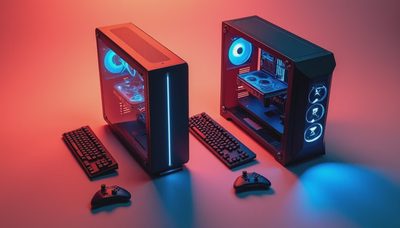
I built in the Phanteks Eclipse G500A because a client wanted a high-end gaming machine that stayed cool without sounding like a shop vacuum. The first case on his list had a glass front and three decorative fans. That plan was bad. The Phanteks Eclipse G500A gave me open intake space, room for a long graphics card, and enough working clearance that I did not have to sacrifice knuckle skin for cable routing. I ran the finished system for a full week before writing this. That is the standard here: I turn it on so you do not have to.
What the Phanteks Eclipse G500A Gets Right
The basic design is refreshingly sensible. The front panel is mesh, not a solid slab pretending to be an air intake. Behind it, the case supports three 120 mm fans or two 140 mm fans, depending on the setup. That gives a modern CPU and GPU a reasonable path for fresh air without immediately forcing you into an expensive custom cooling plan.
The interior is roomy enough for normal enthusiast hardware. ATX, microATX, and mini-ITX boards fit, and the case has the clearance needed for large current graphics cards. I installed a thick triple-fan card without turning the power cables into a sharp bend near the side panel. That matters. A case can technically fit a GPU and still be a miserable place to connect it.
The Phanteks Eclipse G500A also has a practical top radiator position. A 240 mm or 360 mm liquid cooler can work there, although motherboard heatsinks and memory height still matter. For most builds, I prefer a good tower air cooler. It is cheaper, easier to maintain, and one less pump to eventually fail.

The Cooling Setup I Used
My test build used a Ryzen 7 processor, a triple-fan Radeon graphics card, two 140 mm front intake fans, one 140 mm rear exhaust fan, and a large dual-tower air cooler. I did not fill every available fan slot just because the mounting holes were there. More fans do not automatically mean better cooling. Poorly placed fans just make more noise while moving air in circles.
In the Phanteks Eclipse G500A, the front fans fed the graphics card directly, while the rear fan cleared warm air around the CPU socket. I set the front fans to a modest curve and allowed the rear fan to respond more aggressively when the processor loaded. In a Houston garage during a warm afternoon, the system stayed stable through several hours of gaming and a separate CPU stress test. The case was audible, but it was not obnoxious from the next workbench.
Your room temperature, components, and fan models will change the result. Still, the airflow behavior was predictable, which is what I want from a case. Predictable beats flashy every time.
Building Inside the Phanteks Eclipse G500A
The build process was straightforward, with one exception: the front fan bracket and cable path deserve attention before you install the motherboard. Route the front-fan cables early. Once a large air cooler and graphics card are installed, reaching behind them becomes an exercise in patience and bad language.
The motherboard tray has useful routing openings, and the rear chamber provides enough room for a conventional modular power supply and extra cables. I used a fully modular 850-watt unit and did not need to crush the side panel to close it. That is a low bar, but plenty of cases fail it when builders use thick 12VHPWR or modern GPU power leads.
Drive support is flexible enough for a typical gaming machine. You can mount solid-state drives behind the motherboard area, and there is room for storage hardware without covering the main chamber in drive cages. If you are building a file server with several 3.5-inch hard drives, this is not the chassis I would choose. For one or two SATA drives alongside NVMe storage, it is perfectly usable.
The Phanteks Eclipse G500A is not a tool-free fantasy where every part clicks into place. You still need a screwdriver, planning, and the good sense to test the power switch before hiding every cable. That is normal building, not a flaw.

Noise, Dust, and Real-World Maintenance
A mesh case will collect dust faster than a sealed-front case. That is the trade. You get better intake airflow, but you must clean the filters and front panel. In my setup, I checked the front filter after a week and found the usual mix of dust and garage grit. Nothing dramatic. A quick vacuum around the exterior and a soft brush kept it clean.
Do not blast compressed air through an assembled PC while the fans are free to spin. Hold the blades still, clean the filter separately, and avoid spraying moisture into the electronics. Every few months, inspect the CPU cooler fins and the graphics card intake. Heat problems are often maintenance problems wearing a disguise.
The Phanteks Eclipse G500A can be quiet, but it will not rescue a terrible fan curve. A front panel packed with high-RPM fans can make a system louder without improving temperatures. Start with two quality front intakes and one rear exhaust. Add a top exhaust only after checking actual temperatures. A temperature monitor is more useful than guessing by eye.
Which Parts Pair Well With It?
This chassis makes sense for a midrange or high-end ATX gaming build. A Ryzen 5 or Ryzen 7 processor with a tower cooler, an Intel Core i5 or Core i7 chip with sensible power limits, and a large graphics card all fit the use case. Brands such as Noctua, be quiet!, Arctic, Corsair, and Thermalright offer cooling options that can be matched to your budget rather than chosen for logos.
For storage, I would use a fast NVMe drive for the operating system and games, then add a SATA SSD if the library grows. For power, buy a reputable modular supply with enough headroom for the graphics card. Do not save $40 on the power supply and then spend Saturday diagnosing random shutdowns.
The Phanteks Eclipse G500A is also a good platform for a restrained RGB setup. One lighted strip or a few controlled fans can look clean. You do not need six different software packages fighting over the motherboard headers. Set the lighting once, then get back to building.
Should You Buy the Phanteks Eclipse G500A?
I would recommend the Phanteks Eclipse G500A to a first-time builder who wants airflow, room to work, and a case that will not become immediately useless after the next GPU upgrade. It is especially suitable when the goal is a quiet, stable machine rather than a glass display full of lighting.
I would skip it only if your priorities are unusually specific. Choose another case if you need a compact footprint, a large multi-drive enclosure, or a front USB arrangement that matches a specialized workstation. Also measure your desk before ordering. A roomy case is helpful on the workbench and annoying when it leaves no space for your monitor stand.
Before you buy, measure the graphics card length, CPU cooler height, radiator thickness, and power supply depth. Then decide the fan layout on paper. The Phanteks Eclipse G500A rewards that five-minute check. Install the motherboard standoffs, connect the front-panel leads, and perform a quick POST test before final cable cleanup.
That is the whole point of this case: fewer surprises. It is not trying to be a flagship trophy. It is a sensible box that gives hot components air and gives the builder enough room to finish the job without swearing at the side panel. For a real gaming PC, that is a strong recommendation.