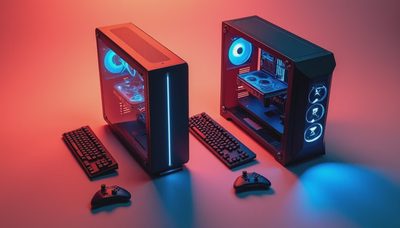
The Hyte Y60 vs Y70 question usually starts with a graphics card and ends with a cooling problem. I have built in both cases, and the short version is simple: the Y60 is the better-looking compact showpiece, while the Y70 is the safer choice for a large modern GPU and a hot-running system. The Y60 is not bad. It is just less forgiving.
Both are dual-chamber ATX cases with a panoramic glass corner and a vertical graphics card layout. That design hides most cables, puts the motherboard and GPU on display, and makes a finished build look cleaner than a conventional tower. It also forces you to think about GPU thickness, riser placement, fan direction, and radiator clearance before ordering parts.
Hyte Y60 vs Y70: The Real Difference
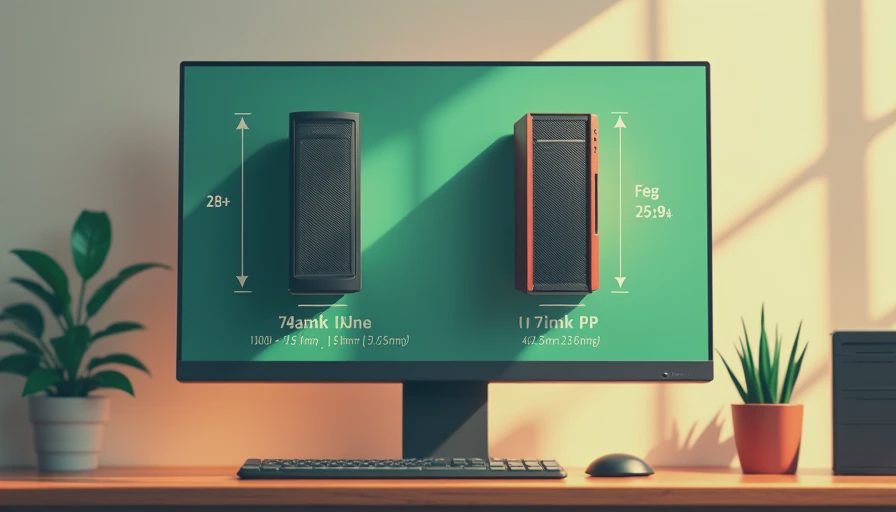
The Y60 is the smaller case. It has a narrower internal layout and a three-slot vertical GPU arrangement that works well with many current graphics cards. The problem is that today’s high-end cards are not politely shaped. Some are four slots thick, unusually tall, or equipped with large coolers that sit close to the side glass.
That is where the Y70 earns its extra size. It gives the graphics card more room and makes the vertical mounting arrangement less cramped. The added width also leaves more breathing space around the GPU fans. You still need to check the exact card dimensions, but the Y70 gives you a much larger margin for error.
The Y70 also feels less crowded during installation. In the Y60, every cable bend and fan position matters. In the Y70, there is more room to route power leads, fit a thick radiator, and reach motherboard headers without scraping your knuckles on the frame. That matters more after the novelty of the glass wears off.

GPU Clearance and the Included Riser
Both cases are built around a vertical graphics card, and both use a PCIe riser cable. The visual result is excellent. Your GPU becomes the main event instead of sitting horizontally at the bottom of a dark box. The tradeoff is that the riser cable and mounting position become part of your compatibility checklist.
Before buying the Y60, measure the graphics card’s thickness, height, and power connector location. A card can technically fit while its power cable presses against the glass. That is not a setup I want in a machine that will run for hours. Give the connector a clean bend and avoid forcing a 12VHPWR or newer high-power connector sideways at the plug.
The Y70 is more comfortable with big cards such as upper-tier GeForce RTX models and large Radeon designs. It is not unlimited, and a water block or unusual aftermarket cooler can still create problems. However, it is the case I would choose when the GPU is expensive, thick, and expected to work hard every day.
The riser itself should also be installed carefully. Set the PCIe generation correctly in the motherboard firmware if the system behaves strangely, and make sure the cable is not sharply folded. A black screen caused by a poorly seated riser is a miserable way to spend a Saturday.
Cooling in a Warm Room
This is where the Hyte Y60 vs Y70 comparison stops being about appearance. Glass panels restrict direct airflow compared with a mesh-front case, and vertical GPU mounting can place the card closer to the side panel. In my Houston garage, that difference matters. A case that is acceptable in a cool office can become noisy when the room is already warm.
The Y60 can cool a strong gaming system, but it needs a deliberate fan plan. A 360 mm radiator at the top is a sensible choice for a high-end CPU, with additional intake fans bringing air into the lower or side area. Keep the bottom intake clean and do not block it with loose cables. The graphics card needs that air.
The Y70 gives the GPU more breathing room and offers a more relaxed installation for larger cooling hardware. I still would not fill every mounting point with fans just because the brackets exist. Three good fans aimed at a clear airflow path beat a pile of mismatched units fighting each other.
For a sensible setup, use front or side intake where supported, bottom intake aimed toward the GPU, and top exhaust through the radiator or fans. Keep exhaust paths open. In either case, dust filters need regular attention, especially in a garage or room with carpet.
Building, Cable Management, and Noise
The Y60 rewards patience. Its rear chamber hides the power supply and most cable slack, but the space is not magic. Modular power supplies help because you only install the cables you need. A 750-watt unit is appropriate for many midrange builds, while a demanding flagship GPU may justify 850 watts or more. Select the power supply based on the complete system, not the case.
The Y70 is easier for first-time builders because there is more working room around the motherboard tray and graphics card. That does not mean you can ignore cable routing. Keep the main power bundle secured against the rear chamber, leave the side fans unobstructed, and avoid trapping front-panel wires beneath the GPU area.
Noise depends heavily on the parts inside. A large GPU running close to the glass can become the loudest component in a Y60 build. The Y70 may give that cooler more room to breathe, which can reduce fan speed under sustained gaming loads, but it is not a guaranteed silent machine. Fan curves, radiator choice, and GPU model still matter.
Which Case Should You Buy?
Choose the Y60 when your graphics card is comfortably within its clearance limits, you want a smaller footprint, and the visual design is the main reason you are shopping. It makes sense for a clean midrange or upper-midrange build with a sensible cooling plan. It also tends to be the better deal when retailers discount older inventory.
Choose the Y70 when you are using a large current-generation GPU, a thick liquid-cooling setup, or several storage drives and expansion cards. The extra space costs more, but it buys flexibility. That flexibility is valuable when a replacement GPU is three millimeters wider than the original one or when you decide to upgrade two years later.
The Y70 Touch version adds an integrated display, which is convenient for monitoring temperatures and customizing the front presentation. I would not pay a major premium for the screen if your budget is tight. Put that money toward a better power supply, a quieter radiator, or a faster graphics card first.
My Buying Advice
The Hyte Y60 vs Y70 decision comes down to tolerance for tight clearances. The Y60 is attractive and perfectly usable with the right parts. The Y70 is the less stressful build, especially when the GPU is large or the room runs hot. I would choose the Y60 for a carefully planned system and the Y70 for a powerful system that needs room to grow.
Before ordering, write down the exact GPU dimensions, radiator size, power supply length, and fan locations. Compare those numbers with the current case specifications, then inspect where the power connector will sit after vertical mounting. Do that five-minute check before buying. It beats returning a case after discovering the glass panel is touching your expensive graphics card.
If you are still undecided, buy the Y70 unless compactness or price clearly favors the Y60. More room is not wasted space when it improves airflow, installation, and future upgrades. I turn it on so you do not have to.