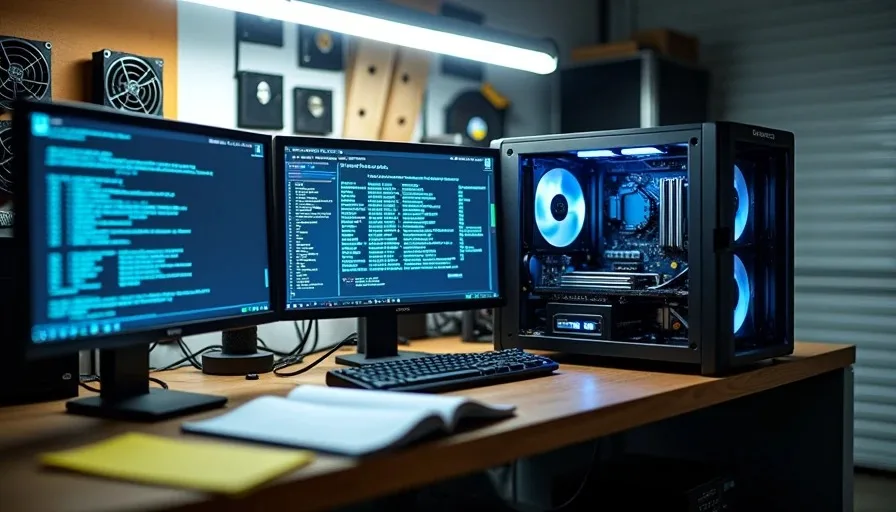
A PC stability testing guide should be specific, not philosophical. I have seen too many posts that say "run Prime95 for a while and see what happens." That is not a guide — that is a guess. This is my actual testing protocol, the tools I use, how long I run each one, and the criteria I use to decide a build is done. I turn it on so you don't have to.
My Testing Protocol — The Short Version
I test four things on every build I hand off: CPU stability, RAM stability, GPU stability, and real-world behavior under normal use. Each one uses a different tool and runs for a different amount of time. Here is the overview of what I run on every machine before it leaves my garage:
Component | Tool | Duration | Pass Criteria | Fail Criteria |
|---|---|---|---|---|
CPU | Prime95 (Small FFT) | 8 to 12 hours | Zero worker errors, temp stable under 85C | Any worker halts, temp exceeds 90C, system crash |
RAM | MemTest86 | 4 passes (3 to 4 hours) | Zero errors across all tests | Any error in any pass |
GPU | OCCT GPU stress | 1 to 2 hours | No artifacts, no driver crash, temp under 80C | Visual artifacts, driver reset, temp above 85C |
Overall | Real gaming session | 2+ hours | No crashes, stutters, or freezes | Any unexpected behavior |
This protocol takes about 16 to 20 hours total. I spread it across a day and a half because rushing a stability test defeats the entire purpose of running one.

CPU Testing — Prime95 and Patience
Prime95 Small FFT is the standard for CPU stress testing because it generates the sustained heat load that catches thermal issues other tests miss. I run it for a minimum of eight hours on every build, and twelve hours on builds I am delivering to paying clients.
How I Run Prime95
Here is my step-by-step process for CPU testing:
Boot into Windows and let it sit idle for 10 minutes to establish baseline temperatures
Open HWMonitor and HWiNFO64 side by side — HWMonitor for the quick read, HWiNFO for detailed logging
Launch Prime95, select Small FFT test, set workers to match core count
Watch the first 30 minutes closely — this is when thermal issues surface
Check in every hour — note max temps, confirm all workers are still active
At the 8-hour mark, evaluate: if clean, extend to 12 for client builds
The Small FFT workload hits the CPU harder than any real application ever will. If a build survives twelve hours of Small FFT without a worker error, it will survive anything your actual workload throws at it. That is the point — you are testing beyond the real-world ceiling to build in a margin of confidence.
What a Failure Looks Like
Prime95 failures are not always dramatic. Sometimes a worker thread just stops — it shows as halted in the worker window, and the test continues on the remaining threads. That is a failure, even though the system did not crash. Sometimes you get a popup saying a rounding error was detected. That is also a failure. And sometimes the whole machine reboots with no warning, which is the most obvious failure of all.
Any of these means your overclock or undervolt is not stable. Back off the settings and retest from scratch. Do not try to push through it — a marginally unstable CPU will corrupt data eventually, and that is a much worse problem than spending another day testing.
RAM Testing — MemTest86 Runs While You Sleep
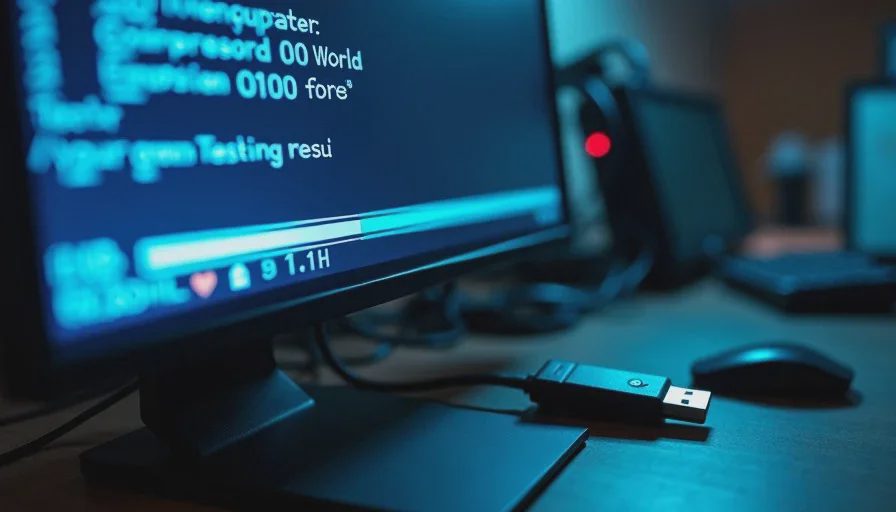
RAM is the component most likely to have subtle issues that do not crash your system immediately but corrupt data over time. MemTest86 is the tool for this — it boots from a USB drive, runs outside of Windows, and tests every memory address methodically. You cannot trust a Windows-based memory tester because Windows itself is using the RAM while it tests it.
Running MemTest86 Properly
I run four passes minimum. One pass takes about 45 to 60 minutes depending on RAM speed and capacity, so four passes is roughly three to four hours. Here is why four passes matter:
Pass 1 catches obvious failures — bad sticks, loose slots, DOA modules
Pass 2 catches intermittent issues that only appear under repeated stress
Passes 3 and 4 catch the rare, slow-developing errors that single-pass testing misses entirely
Zero errors across four passes means your RAM is clean for daily use
If MemTest86 throws even one error, you have a problem. It might be a bad stick, a bad slot, or an XMP profile that is unstable. Start by disabling XMP and retesting at JEDEC speeds — if it passes clean, your XMP profile is the issue, not the RAM itself. If it still fails at JEDEC, start pulling sticks one at a time until you isolate the bad module.
GPU Testing — Real Games Beat Synthetic Loads
I use OCCT GPU stress test for a quick stability check, but the real GPU test is a gaming session. Synthetic loads like FurMark push the GPU harder than any game ever will, which means they can fail a card that is perfectly stable in real use. I use synthetic tools to catch obvious problems, then I validate with actual games.
My GPU Testing Process
Run OCCT GPU test for 30 minutes — this catches driver crashes and thermal issues quickly
If clean, launch a demanding game at the target resolution and settings
Play for one hour minimum — watch for stutters, artifacting, or driver resets
Check GPU temperatures throughout — should stay under 80C on a properly cooled card
If anything fails, investigate cooling before adjusting clock speeds
A GPU that passes OCCT but crashes in a game usually has a cooling problem, not a stability problem. Check your fan curve, your case airflow, and your thermal paste application before you touch clock speeds. I have seen people RMA perfectly good cards because their case had no intake fans and the GPU was choking on its own exhaust.
When to Stop — The Discipline Question
Knowing when to stop testing is harder than knowing how to test. You can run Prime95 for 72 hours and still not have proven stability — there is always another hour you could run. The discipline is in knowing when additional testing stops adding value and starts burning electricity to soothe anxiety.
My Stop Criteria
I stop testing when all of these are true:
Prime95 has run clean for 8 hours (12 for client builds) with no worker errors
MemTest86 has completed 4 passes with zero errors
OCCT GPU test ran clean for 30 minutes with temps under 80C
A real gaming session of 2+ hours produced no crashes or anomalies
Idle temperatures are within 2C of baseline after the full test cycle
If all five criteria are met, the build is stable. Running another 12 hours of Prime95 will not tell you anything the first 12 did not. At that point, you are burning electricity to satisfy anxiety, not to gather data.
The PC stability testing guide that tells you to test for 24 hours is selling you comfort, not information. Eight to twelve hours of clean Prime95 tells you what you need to know. The rest is just the Astros game on the garage TV while you wait for a crash that is not coming.