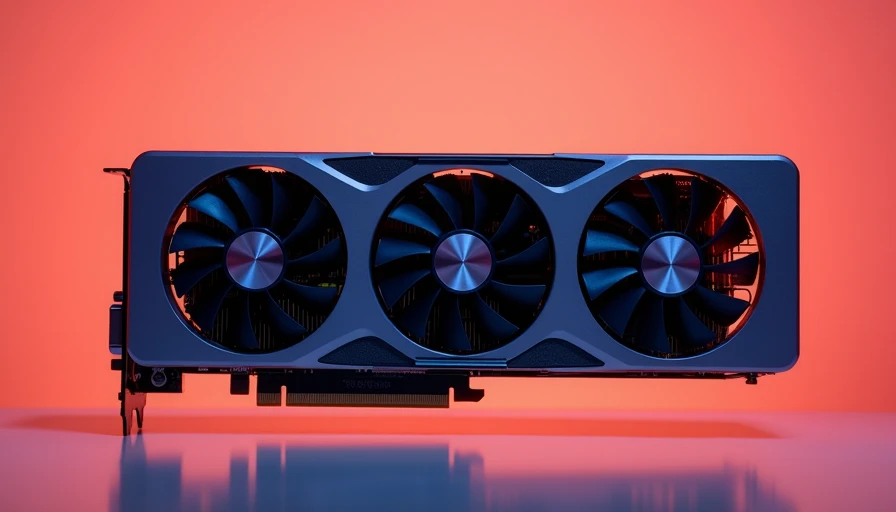
I was cleaning dust out of a client’s gaming PC last month when the graphics card started throwing black screens. The card was eight years old. Its fans were packed with lint, the case had never been opened, and the owner wanted to know how long do gpus last before failure becomes inevitable. The short answer is five to eight years for a well-treated card, sometimes longer. The longer answer depends on heat, workload, power quality, and whether you let the cooler turn into a felt blanket.
The realistic lifespan of a graphics card
For most gaming PCs, how long do gpus last comes down to operating conditions rather than a magic expiration date. A midrange card used for a few hours of gaming each evening can run reliably for seven years or more. A card used for cryptocurrency mining, constant rendering, or machine learning workloads can experience similar wear much faster because it stays hot and under load for long periods.
That does not mean a GPU suddenly dies on its seventh birthday. Many older cards still work perfectly but no longer deliver the frame rates modern games demand. Functional life and useful life are different. A GTX 1080 can still display a desktop and run many games, but newer features, ray tracing, video encoders, and driver support can make replacement worthwhile before the hardware actually fails.
In my own builds, I treat four to six years as a comfortable planning window for a gaming GPU. That is long enough to get serious value from a good purchase without pretending that every new release will run well forever. A carefully maintained card can become a hand-me-down, a living-room PC part, or a backup after its primary gaming role is over.
The card’s warranty also matters. EVGA is no longer producing new graphics cards, but many older cards had strong warranty coverage. ASUS, MSI, Gigabyte, Sapphire, and XFX commonly offer warranties that vary by model and region. Keep the receipt and register the product when required. A warranty will not fix dust, physical damage, or a bad power supply, but it can save a painful repair bill for an early failure.
What actually wears out inside a GPU
The graphics processor itself is usually not the first thing to fail. The cooling system is more vulnerable. Fans develop noisy bearings, thermal paste dries out, and thermal pads can lose contact with memory chips. A fan that rattles during a game is not just annoying. It can allow temperatures to climb high enough for the card to reduce its clock speed or shut down.
The video memory can also become unstable. Symptoms include colored squares, flashing textures, checkerboard patterns, or crashes that appear only after several minutes of gaming. Those artifacts are different from a single driver crash. If they return across multiple games after a clean driver installation, suspect the card, its memory, or its power delivery.
Repeated heating and cooling cycles create stress over time. Every time a card goes from a cold desktop to a hot gaming session, materials expand and contract. Modern boards are designed for this, so normal gaming does not automatically destroy them. Extreme temperatures, clogged airflow, aggressive overclocking, and poor-quality power make the cycle harder on the hardware.
The power supply deserves attention here. A cheap or aging PSU can cause crashes that look like GPU failure. Before replacing a graphics card, test another known-good power supply if possible. A solid 650-watt unit from Corsair, Seasonic, be quiet!, or Super Flower is a better diagnostic partner than a bargain unit with impressive wattage printed on the side.
Heat, dust, and Houston-style punishment
If you want to know how long do gpus last in a hot room, start with airflow. Ambient temperature affects every component, and a case sitting under a desk with blocked intake vents has no chance to move heat efficiently. My garage gets unpleasant in summer, so I pay attention to intake filters, fan curves, and clearance around the case. A clean front intake does more than another strip of RGB lighting ever will.
For gaming, a GPU core temperature in the 60s or 70s Celsius is generally comfortable. High 70s and low 80s can still be normal depending on the model and its fan profile. Memory junction temperatures can be higher, especially on cards with GDDR6X, so do not judge the entire card from one temperature reading. Watch for sudden changes from its previous behavior.
Every three to six months, shut down the PC, unplug it, and use compressed air to clear filters, heatsinks, and fans. Hold the fan blades still while cleaning so they do not spin like a tiny turbine. Do not blast moisture from an air compressor into the case. If the card is several years old and temperatures have climbed, replacing thermal paste can help, but disassembling the cooler can affect warranty coverage and requires care.
How usage changes the answer
A GPU used for competitive games at 1080p may spend much of its life below maximum power. The same model driving a 4K monitor, high ray-tracing settings, and uncapped frame rates can run substantially harder. The difference is not simply the number of hours. Heat output, voltage, and sustained load all matter.
Mining is a special case because cards can operate continuously for months. Some mining cards survive well, especially when kept cool with conservative power limits. Others develop fan, memory, or connector problems. Never assume a used mining card is automatically bad, but ask for temperature history, test it under load, inspect the fans, and price it low enough to account for risk.
Undervolting is often a sensible way to reduce heat and noise. On an AMD Radeon or NVIDIA GeForce card, a modest voltage adjustment can lower power consumption while preserving most performance. Overclocking can also be safe when tested properly, but extra voltage is where impatience gets expensive. I would rather leave five percent performance on the table than cook a $700 card for bragging rights.

Signs it is time to replace the card
The clearest warning is repeatable instability. Test with a demanding game and a tool such as 3DMark or Unigine Heaven, then compare results with the card’s normal behavior. Black screens, driver resets, artifacting, and crashes across several applications deserve investigation. First reinstall the driver, remove unstable overclocks, check the power cables, and test system memory. Do not declare the GPU dead after one bad game update.
Physical signs matter too. A burning smell, scorched connector, liquid damage, or a fan that will not spin means stop using the card until you identify the problem. A slight coil whine is usually an annoyance rather than a failure. It can change with frame rate and may be reduced by capping frames, but it is not a reliable indicator of lifespan.
Replacement makes financial sense when repair costs approach the price of a newer card or when performance has fallen behind your monitor. A $40 fan replacement can be sensible on a valuable card. Paying $200 to repair an old entry-level model usually is not. Put that money toward a newer card with better efficiency and current driver support.
Make your GPU last longer
Start with a case that has a real front intake and rear exhaust. Set a frame limit that matches your monitor instead of letting the card render 400 frames per second in a menu. Keep drivers current, but do not chase every optional update on a stable machine. Use separate power cables for high-draw cards when the manufacturer recommends it, and make sure the connector is fully seated.
Buy from a reputable retailer, keep the packaging, and record the card’s temperatures during the first week. That baseline helps you spot trouble later. Clean the system on a schedule, avoid smoking or cooking grease near an open PC, and give the card room to breathe.
So, how long do gpus last? Expect roughly five to eight years from a properly cooled gaming card, with useful performance often ending before physical failure. Treat the GPU like an engine, not a disposable light fixture. I turn it on so you do not have to. Now check your temperatures, clean the filters, and save that baseline before the next problem starts.