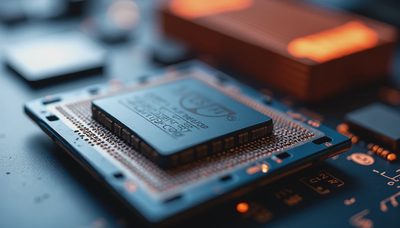
A coil whine fix is one of the most common things clients ask me about, and most of the time the answer is: stop worrying. That high-pitched buzzing from your graphics card is electromagnetic vibration in the inductors — physical noise from components doing their job. But sometimes it's a sign of something wrong, and knowing the difference saves you from RMAs that go nowhere. I've dealt with coil whine on everything from budget cards to high-end builds, and this is what I've learned from actually testing fixes.
What Coil Whine Actually Is
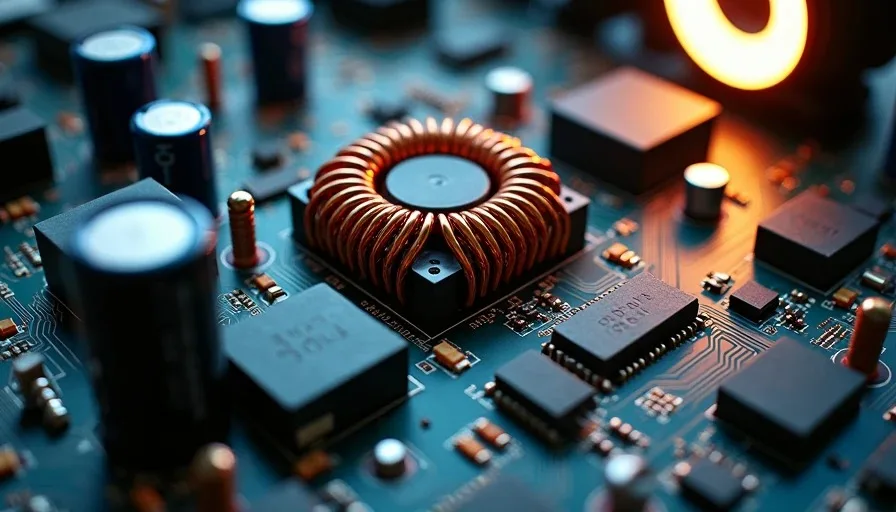
Coil whine is mechanical vibration. The inductors on your GPU or PSU — those copper coils wrapped around ferrite cores — vibrate when alternating current passes through them. The vibration happens at a frequency you can hear, usually between 5kHz and 20kHz. It's not a defect by itself. It's physics.
The Science in Plain Terms
When current flows through an inductor, it creates a magnetic field. That field interacts with the ferrite core and the wire itself, causing microscopic physical movement. At certain frequencies — particularly when the GPU rapidly switches between high and low power states — that movement becomes audible. The sound varies: some cards buzz, some squeal, some chirp. The pitch changes with the frame rate because the power draw pattern changes.
Every GPU has inductors. Every inductor can whine under the right conditions. A coil whine fix isn't about eliminating physics — it's about changing the conditions that make the vibration audible.
When Coil Whine Is Normal
Most coil whine is harmless. I've seen it on brand-new cards straight out of the box, and I've seen it develop after months of use. Here's when you should leave it alone.
High FPS Scenarios
Uncapped frame rates are the most common trigger. When a GPU pushes 500+ FPS on a menu screen or a loading screen, the power delivery components cycle rapidly between states. That rapid cycling is what makes the inductors sing. If you cap your FPS to a reasonable number — your refresh rate, for instance — the whine often drops to inaudible levels.
I tested this on a client's RTX 4070 last month. At uncapped FPS in the Overwatch 2 main menu, the card hit 600+ FPS and whined loud enough to hear across the room. Capped at 144 FPS with a frame limiter, the whine dropped to a faint hum. Capped at 60 FPS with VSync, it went silent.
Scenario | FPS | Whine Level | Fix Applied |
|---|---|---|---|
Uncapped menu, no limiter | 600+ | Loud, audible across room | None |
Frame limiter at 144 | 144 | Faint hum, only heard up close | RTSS frame cap |
VSync on at 60Hz | 60 | Inaudible | In-game VSync |
VSync on + undervolt | 60 | Inaudible | VSync + Afterburner curve |
Specific Load Patterns
Some games trigger whine more than others. Titles with extremely high frame rates in menus — CS2, Valorant, Overwatch 2 — are notorious for this. Games with heavy shader compilation spikes can also trigger brief whine bursts. This is normal. The card is responding to rapid changes in power demand, and no coil whine fix is needed.
When Coil Whine Indicates a Problem
Not all whine is harmless. A coil whine fix matters when the whine is coming from your PSU, not your GPU. PSU whine sounds different — it's often a lower-pitched buzz or hum, and it persists regardless of frame rate. If you hear buzzing from the PSU under load that wasn't there before, that's a warning sign. It can indicate failing capacitors or a power delivery issue that will get worse.
New whine on a previously quiet card is also worth investigating. If your GPU was silent for six months and suddenly starts whining, something changed. It could be a driver update that altered power delivery behavior, a new game that hits a specific frequency, or — less commonly — a component starting to degrade.
PSU-Related Whine vs GPU Whine
Whine Type | Location | Sound | When It Happens | Action |
|---|---|---|---|---|
GPU inductor whine | Graphics card area | High-pitched squeal or buzz | High FPS, menus, loading screens | Usually normal — try FPS cap |
PSU coil whine | Power supply area | Lower-pitched hum or buzz | Under load, any FPS | Monitor — if new, consider PSU replacement |
PSU fan bearing noise | Power supply | Grinding or clicking | Always, worsens with heat | Replace PSU — bearing is failing |
GPU VRM whine | Near GPU power connectors | Buzzing under heavy load | Sustained gaming load | Try undervolting — if worsens, investigate |
New whine on old card | Graphics card area | Any tone | Wasn't there before | Check drivers, then stress test |
Coil Whine Fixes That Actually Work
I've tested every fix the internet recommends. Some work. Some don't. Here's what I've found across dozens of builds.
FPS Capping and VSync
This is the first thing to try and the most effective. Cap your frame rate to your monitor's refresh rate using RTSS (RivaTuner Statistics Server) or the in-game limiter. If that doesn't work, enable VSync. The goal is to prevent the GPU from cycling between extreme high and low power states. Fewer cycles, less vibration.
Changing Power Targets
Lowering the power target in MSI Afterburner reduces the current flowing through the inductors. Drop the power limit from 100% to 85-90%. You lose 3-5% performance in most games, but the whine often decreases proportionally. This is a tradeoff, not a fix — but for a quiet PC build, it's worth considering.
Undervolting
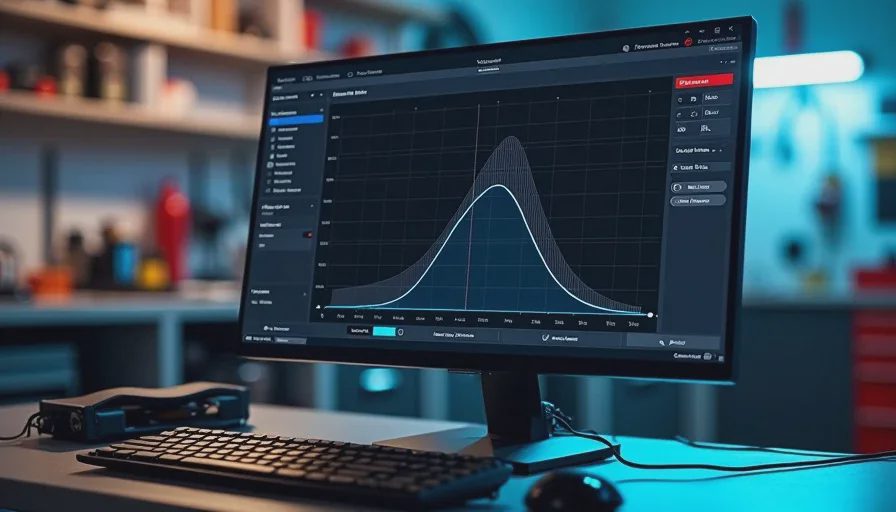
Undervolting is the most effective coil whine fix I've found, and it has the side benefit of lowering temperatures and noise. By reducing the voltage at a given frequency, you reduce the current through the inductors, which reduces vibration. A basic undervolting approach: open MSI Afterburner, hit Ctrl+F to open the voltage/frequency curve, and flatten the curve at a lower voltage point. Start at 900mV and test stability. Drop in 10mV increments until you get crashes, then back off 20mV.
When to RMA
RMA for coil whine is a gamble. Most manufacturers consider coil whine a normal characteristic, not a defect. I've seen RMAs get rejected for whine alone. That said, if the whine is accompanied by instability, artifacting, or if the card was whining from day one and it's severe enough to hear across the room with headphones on, it's worth trying.
Here's my rule: if the whine is only in menus at uncapped FPS, don't RMA. If the whine persists at capped FPS under normal gaming loads and you can hear it through closed-back headphones, contact the manufacturer.
The Bottom Line
Most coil whine isn't worth fixing — it's physics, not failure. Cap your FPS, try an undervolt, and if the noise is coming from the PSU or appeared suddenly on a quiet card, investigate further. I turn it on so you don't have to.